Digital Tutors - Body Mechanics and Animation in Maya: Lifting Heavy Objects

Easily learn character animation and the body mechanics involved for lifting heavy objects and add style, personality, and life to you next animation. Contains nearly 7 hours of project-based training. Popular highlights include: Exploring the Body Mechanics of a Heavy Lift; Animating to Show Believable Weight and Tension; Proper Timing and Spacing using Rhythm; Working with Storyboards; Pose to Pose Method; Adding Arcs; Follow-Through; Overlapping for Fluid Motion; Exaggerating Poses for Appealing Movement; Graph Editor; Weighted Tangency & Free Tangent Weights; Modifying Tangents; Editing Timing of Actions with Character Sets; Animating the Body in Sections; Animation Hot Keys; Character Animation and Object Checklist. Please note that the project files provided with this training kit require Maya 7 to be opened. If you do not have Maya 7, you can create your own character rig with the help of our Character Setup in Maya training kit.

| Run Time | : 6h 47m |
| Release Date | : September 28, 2006 |
| Author | : Delano Athias |
| Required Software | : Maya 6.5 and higher |
 |

Tag :
Maya,
Digital Tutors - Animating Game Characters in Maya

In this collection of lessons we will learn about a wide variety of useful techniques for animating game characters. In this course, we will animate a character for a game in Maya. We will explain workflow techniques that will help us to not only save time with our animations, but at the same time capture a fitting and entertaining personality through the gestures of our character that an audience will enjoy. By the end of this course, you will learn animation techniques that can be applied to any character you may animate in the future.

| Run Time | : 2h 43m |
| Release Date | : February 1, 2011 |
| Author | : Delano Athias |
| Required Software | : Maya 2011 and higher |
|
Tag :
Maya,
Digital Tutors - Animating Quadrupeds in Maya

Learn time-saving animation techniques, the mechanics of quadrupeds, and fundamental principles for creating convincing quadruped animations. Contains nearly 3 hours of project-based training. Popular highlights include: Referencing Footage / Images; Mechanics of Quadruped Animation; Quadruped Anatomy for Animators; Ghosting; Character Sets; Follow-Through; Translating Cycles Forward; Timing and Spacing; Achieving Believable Weight; Show Buffer Curves for Optimization; Graph Editor; Animating Arcs; In-betweening; Editing Tangents.

| Run Time | : 2h 51m |
| Release Date | : July 3, 2007 |
| Author | : Delano Athias |
| Required Software | : Maya 8.5 or higher |
|
Tag :
Maya,
Digital Tutors - Exploring Craft Director Studio's Animation Tools in Maya

In this Maya tutorial, we will do an overview of the Animation Tools in Craft Director Studio, integrated into the Subscription Advantage Pack. Throughout the tutorial, we will cover everything from setting up your Preferences for Craft, to connecting your vehicles to the Craft control rig, how to constrain your vehicles to drive along a modeled surface. We will also explore tools and settings for achieving desirable performances from your vehicles, and even take a look at a few of the amazing camera rigs built into craft.

| Run Time | : 44m 55s |
| Release Date | : May 2, 2011 |
| Author | : Delano Athias |
| Required Software | : Maya 2011 SAP and up |
|
Tag :
Maya,
Digital Tutors - Creating Walk Cycles in Maya

In this course we will cover the process of creating a Walk Cycle in Maya. One step at a time, we'll break down the body mechanics of a walk. We'll learn the main positions that one goes through in a walk, we'll learn how to create seamless cycles and explore ways we can add convincing follow-through and weight. We'll even work with animation layers to produce a walk that is natural and has a little personality.

| Run Time | : 2h 46m |
| Release Date | : August 4, 2010 |
| Author | : Delano Athias |
| Required Software | : Maya 2010 and up |
|
Tag :
Maya,
Digital Tutors - Non-linear Animation with Maya Trax

Learn how to implement the Trax Animation Editor in Maya for fast and efficient non-linear animation. Contains over 2.5 hours of project-driven training. Perfect for beginner to intermediate artists. Popular highlights include: Trax Editor; Animation Clips; Poses; Constraint Clips; Expression Clips; Clip Moving, Scaling, Trimming, Cycling, Blending, Splitting, Merging; Absolute / Relative Clips; Import / Export Clips; Non-destructive Animation; Mixing and Deriving Animation; Time Warp Curves; Character and Sub-character Sets; Character Mapper; Character Redirection; Character Retargeting with Neutral Poses and Joint Labeling; Bake Simulation.

| Run Time | : 2h 42m |
| Release Date | : May 7, 2009 |
| Author | : Piyush Patel |
| Required Software | : Maya 6.0 or higher |
|
Tag :
Maya,
Digital Tutors - Introduction to Animation in Maya 2008

Learn the essentials of animation and creative methods for using Maya's animation tools. Contains over 5 hours of project-based training for aspiring animators and experienced artists seeking a refresher. Popular highlights include: Overview of Animation Tools; Manipulating Animation in Graph Editor; Ghosting Animation; Exploring Various Cycle Options; Editing Keys; Modifying Tangent Handles; Set Driven Keys; Creating Turn Tables; Outputting Animation for Preview; Copying and Pasting Key frames; Animation Curve Node; Dope Sheet; Motion Paths; Seamlessly Cycling Animation; Holding Current Keys; Insert Keys Tool; Breaking Tangents for Weight; Optimizing Key Frame Data; Animating with Constraints; Overview of Trax Editor; Fine-tuning Function Curves; Baking Animation Data; Simplifying Function Curves; Breakdown Keys; Buffer Function Curves.

Run Time | : 5h 31m |
| Release Date | : January 10, 2008 |
| Author | : Delano Athias |
| Required Software | : Maya 8 and up |
|
Tag :
Maya,
Digital Tutors - Exploring Animation Principles in Maya: Secondary Action

In this collection of lessons we will learn about the animation principle of secondary action. This course will venture into the animation principle of secondary action in Maya. What is secondary action? Is it another way of describing follow-through and overlap, or is it much more? Throughout this course, we'll define secondary action and work through a variety exercises to help get the point across. By the end of this course, you'll understand what the principle of secondary action boils down to, which will help you enhance your animations by adding an extra level of realism to your characters.

| Run Time | : 19m 44s |
| Release Date | : December 1, 2010 |
| Author | : Delano Athias |
| Required Software | : Maya 2011 and higher |
|
Tag :
Maya,
Digital Tutors - Beginner's Guide to Animation in Maya

In this collection of lessons we will learn the foundations for animating in Maya. Introducing the Beginner's Guide to Animation in Maya. In this course, we will start off by covering some ways we can view animation in Maya. We will then take a look at how to create and edit keyframes on the Maya timeline. After that, you will learn about the powerful Maya animation editor, the Graph Editor. And to wrap up this project, we will go over how to create a quick renders of your animations with playblasts. By the end of the course, you will understand essential terms and definitions and build a solid foundation for animating in Maya.

| Run Time | : 29m 23s |
| Release Date | : March 1, 2011 |
| Author | : Delano Athias |
| Required Software | : Maya 2011 and up |
|
Tag :
Maya,
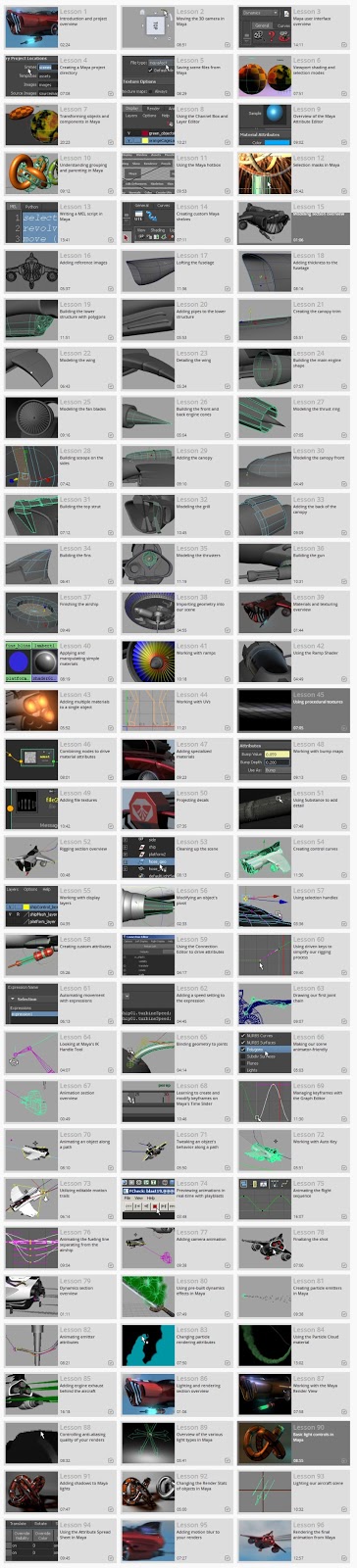
Digital Tutors - Introduction to Maya 2013

In this Maya 2013 tutorial we will help you develop a strong understanding of Maya's core features, as we take you through every single step of creating a short project in Maya. We will start by discussing the foundational skills and vocabulary that will be essential as you begin your Maya learning.
From there we will move directly into modeling, where we will begin building the vehicle that will be used for the duration of this course. Once the vehicle is built we will move into texturing, rigging, animation, dynamics, and we will finish up with the lighting and rendering of our final animation.
| Run Time | : 12h 8m |
| Release Date | : May 3, 2012 |
| Author | : Multiple Authors |
| Required Software | : Maya 2013 |
|
Tag :
Maya,
Digital Tutors - Introduction to Character Rigging in Maya

This course will provide you with a good foundation for rigging characters in Maya. In this course, we'll be taking a step-by-step approach, constructing a control rig that is solid and animator-friendly. We'll learn everything from proper joint placement and working with constraints, to learning how to utilize Maya's innovative and robust enveloping tools to remove the fear of painting weights and, instead, make the process an enjoyable one. We'll cover how to make our controls efficient and easy to comprehend, and we'll also learn how to work with custom shelves to quickly access tools so we can speed up our workflow.

| Run Time | : 2h 46m |
| Release Date | : June 1, 2010 |
| Author | : Delano Athias |
| Required Software | : Maya 2011 |
|
Tag :
Maya,
Maya - Character Rigging for Production in Maya 2011

In this Maya tutorial, we will cover tools and techniques for setting up character rigs in Maya. Step by step, we'll construct a control rig that is robust and animator-friendly. We'll learn everything from proper joint placement and techniques for correcting a joint's orientation to learning fun ways we can preserve volume as our mesh deforms and how to make our controls efficient and easy to comprehend. We'll also learn how to build some fun MEL tools that will help speed up our workflow, bringing that time back into constructing our control rigs with the best methods.

| Run Time | : 9h 36m |
| Release Date | : June 1, 2010 |
| Author | : Delano Athias |
| Required Software | : Maya 2011 |
|
Tag :
Maya,
Digital tutors - Exploring Animation Principles in Maya 2011 - Pose to Pose and Straight Ahead

In this collection of lessons we will learn about the animation principle of pose to pose and straight ahead. This course will delve in the animation principle of pose to pose and straight ahead in Maya. The goal of this course is to not only learn the differences between both pose to pose and the straight ahead approach of animation, but is also for you to learn the advantages of bridging the two methods together. We'll even look a different technique for animating with Pose to Pose than we've used in the past. That way you can find which workflow is more suitable for you. By the end of this course, you'll have a firm understanding of pose to pose and straight ahead, so that your animation skill-set can be expanded as you use this principle to rough-in and refine your work.

| Run Time | : 1h 13m |
| Release Date | : October 1, 2010 |
| Author | : Delano Athias |
| Required Software | : Maya 2011 and higher |
|
Tag :
Maya,


